
How to Check an IPv4 Block's Reputation Before You Lease It
Xantho team · 9 November 2026 · 9 min read
Why this matters more than the price
IPv4 addresses don't come new any more. Every block on the market has been used before, sometimes by a bank, sometimes by a VPN service, now and then by someone sending spam. The moment you start announcing it, its past becomes your problem.
Here's what a bad block looks like in practice. Your order confirmations land in spam. Customers get a CAPTCHA on every login. A payment provider flags new sign-ups as fraud. Users' locations appear to be in another country. Or part of the internet can't reach you at all, because the routing records still point at the previous tenant.
All of this can be fixed, but slowly. A delisting request takes days, a geolocation correction can take weeks, and renumbering a live network is painful. Half an hour of checking before you sign is a far better deal.
The seven checks at a glance
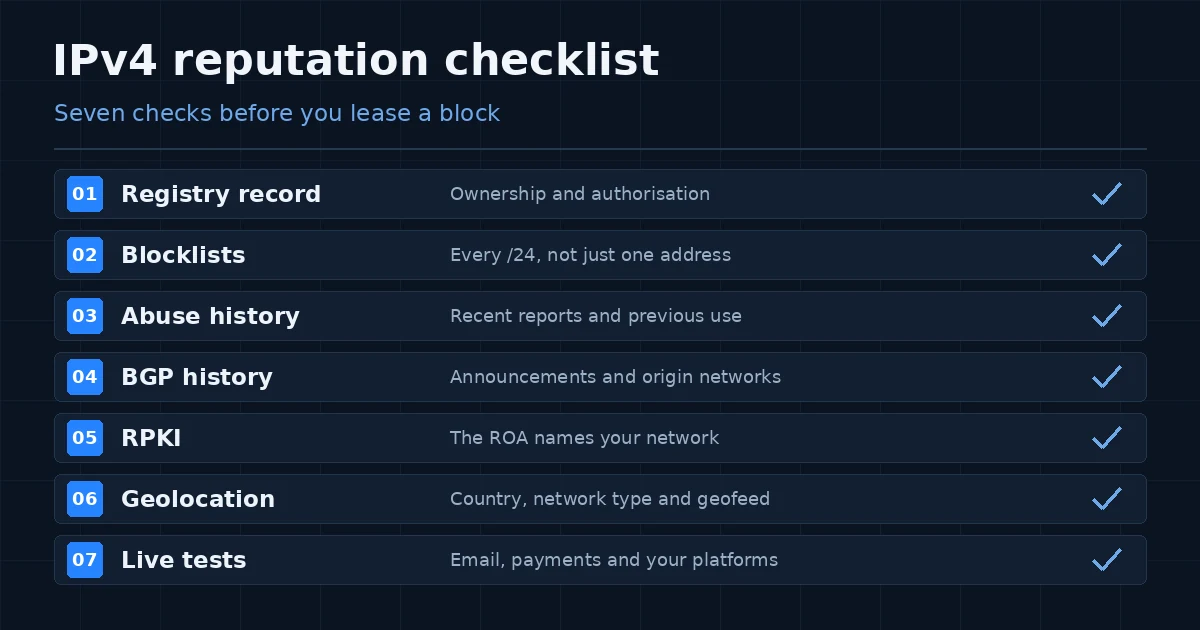
| Check | What you're looking for | Free tools | Walk away if… |
|---|---|---|---|
| 1. Registry record | Who holds the block and who may lease it | RIPE Database, RDAP | The holder doesn't match the contract |
| 2. Blocklists | Current spam and abuse listings | Spamhaus Checker, MXToolbox, multirbl.valli.org | Any part is on Spamhaus DROP |
| 3. Abuse history | Past reports and threat data | AbuseIPDB, Cisco Talos | Reports are recent and serious |
| 4. BGP history | Who has announced the block, and when | RIPEstat, bgp.tools, bgp.he.net | Nobody can explain the history |
| 5. RPKI | A ROA that names your network | RIPEstat, RPKI validators | The provider won't set it up |
| 6. Geolocation | The country and type databases assign | MaxMind, IPinfo, IP2Location | It's wrong and can't be corrected |
| 7. Live tests | How the block behaves on your platforms | Your own email, payment and app tests | Key services block it |
1. Start with the registry record
Before you look at any reputation score, make sure the block is actually the lessor's to lease. Look it up in the RIPE Database, or in ARIN or APNIC for blocks from other regions. The holder should match the company on your contract, or the lessor should be able to show why they're authorised. Check that the record covers the entire prefix on offer, not just part of it.
If this doesn't line up, stop here. A spotless reputation is worthless if the lease itself isn't valid.
2. Run every /24 through the blocklists
The most common mistake is checking one IP address and calling it done. Listings often hit single addresses or a small slice of a range, so check each /24 in the block.
Start with the Spamhaus IP and Domain Reputation Checker, since a large share of mail servers rely on Spamhaus data. Then use a multi-list lookup such as MXToolbox or multirbl.valli.org to sweep dozens of smaller lists at once.
How to read what you find:
- Spamhaus DROP: walk away. DROP is Spamhaus's "don't route or peer" list of the worst networks on the internet, and since April 2024 it also includes what used to be the separate EDROP list (Spamhaus).
- A current listing on a major list: fixable, but the provider should clear it before handover, not you afterwards.
- An old listing on an obscure list: usually background noise. Note it and move on.
3. Look back at abuse reports
Blocklists tell you what's listed today. Abuse databases such as AbuseIPDB and Cisco Talos tell you what happened before. Look at how recent the reports are and how serious. A few port-scan reports from three years ago are normal internet noise. Fresh reports of phishing or credential stuffing are not.
It's also fair to simply ask the provider what the block was last used for. A block that has just left a hosting or proxy pool deserves a closer look than one returned by a company network.
4. Read the BGP history
BGP history shows which networks (autonomous systems, or ASNs) have announced the block, and when. RIPEstat shows routing history going back years, while bgp.tools and Hurricane Electric's bgp.he.net are handy for the current picture.
What we look for:
- lots of short-lived announcements from unrelated networks;
- earlier origin ASNs that appear on Spamhaus's ASN-DROP list;
- someone else announcing the block right now, which has to be withdrawn before you go live.
Don't panic over every odd entry. Mergers, network migrations and earlier leases all leave traces. Ask the provider to explain anything you can't place; a good one will have the answer ready.
5. Make sure RPKI points at you
RPKI lets the holder of a block publish a signed record, called a ROA, saying which network may announce it. It's no longer niche: about 70% of internet routes were RPKI-valid in September 2026, up from 54% a year earlier (IPinfo). Networks that validate really do drop bad routes. IPinfo found that a typical invalid route is seen by just two of its vantage points, against 596 for a valid one.
That's good for security, and a trap when you lease. Research presented at NDSS 2026 found that more than 96% of RPKI-invalid prefixes come from misconfiguration rather than attacks, including ROAs that were never updated after a lease changed hands (NDSS 2026). Put simply: if the setup is sloppy, your traffic quietly disappears.
Before go-live, check that:
- a ROA exists for the prefix with your ASN as the origin;
- its maximum length matches how you'll announce it (a /22 announced as four /24s needs a max length of /24);
- the previous user's ROA has been removed;
- a matching route object exists in the routing registry (IRR).
6. Check where the world thinks the block is
Look the range up in MaxMind, IPinfo and IP2Location. Two things matter: the country, and whether the range is labelled as a proxy, VPN or hosting network. A hosting label is fine for servers, but bad news if office staff or shoppers will sit behind those addresses.
If the country is wrong, publish a geofeed. It's a simple CSV file in the RFC 8805 format listing each prefix and its location, linked from the block's RIPE Database record through the geofeed attribute, which RIPE has supported since December 2021 (ipgeolocation.io). Providers pick up changes on their own schedules; MaxMind, for example, reviews geofeed corrections once per business day (MaxMind). Allow a week or two before launch for everything to catch up.
7. Test it for real
Databases are educated guesses. Before moving production traffic, put the block through the things your business depends on: send test emails to Gmail and Outlook and check where they land, run a test payment, log in to your main SaaS tools, and open any geo-restricted content your users need. Save the results with dates. If something goes wrong six months later, you'll want that baseline.
Red flags that should end the conversation
- The lessor can't show the block is theirs to lease.
- Any part of the range is on Spamhaus DROP.
- Current listings on major blocklists that the provider won't clear before handover.
- Another network is announcing the block and nobody can say why.
- The provider won't create a ROA for your ASN or remove the old one.
- "Guaranteed clean" promises with no dated evidence behind them.
Six questions to ask before you sign
- When was the block last used, and for what kind of service?
- Which reputation sources did you check, and when? Can I see the results?
- Will you set up the ROA, route object and reverse DNS for my network before go-live?
- Do you support geofeeds or geolocation corrections?
- If a listing appears after handover, is cleanup or a replacement block included?
- What are the minimum term, notice period and renewal price?
The bottom line
Nobody can promise that a block will stay clean forever, because reputation follows usage. What you can do is check the full range, test it on your own platforms, and agree in writing what happens if a problem shows up later. Dated evidence beats a "guaranteed clean" badge every time.
Planning further ahead? Our article on IPv6 adoption in business explains why most networks will run both protocols for years to come.
Need an IPv4 block? See our IPv4 leasing options.
Frequently asked questions
How do I check if an IPv4 block is blacklisted?
Search every /24 in the block, not one address, using the Spamhaus IP and Domain Reputation Checker and a multi-list tool such as MXToolbox or multirbl.valli.org. Treat any Spamhaus DROP listing as a reason not to proceed.
Is one blacklist check enough before leasing IPv4?
No. Blocklists show only current listings. Also review abuse history, BGP routing history, RPKI records and geolocation, then test the block on the email, payment and other platforms you rely on.
What is RPKI and why does it matter for leased IP addresses?
RPKI lets the address holder publish a signed record (a ROA) naming which network may announce a block. If the ROA still points to a previous user or the wrong network, networks that validate routes will drop your traffic. Most invalid routes come from setup mistakes, such as ROAs not updated after a lease changes hands.
How do I fix wrong geolocation on a leased IPv4 block?
Publish a geofeed, a CSV file in the RFC 8805 format listing each prefix with its country and city, and link it from the block's RIPE Database record. You can also submit corrections directly to providers such as MaxMind and IPinfo. Updates can take days to spread.
Can a provider guarantee an IPv4 block is clean?
Not permanently, because reputation changes with use. Ask instead for dated results of each check and a written policy on cleanup or replacement if a listing appears after handover.